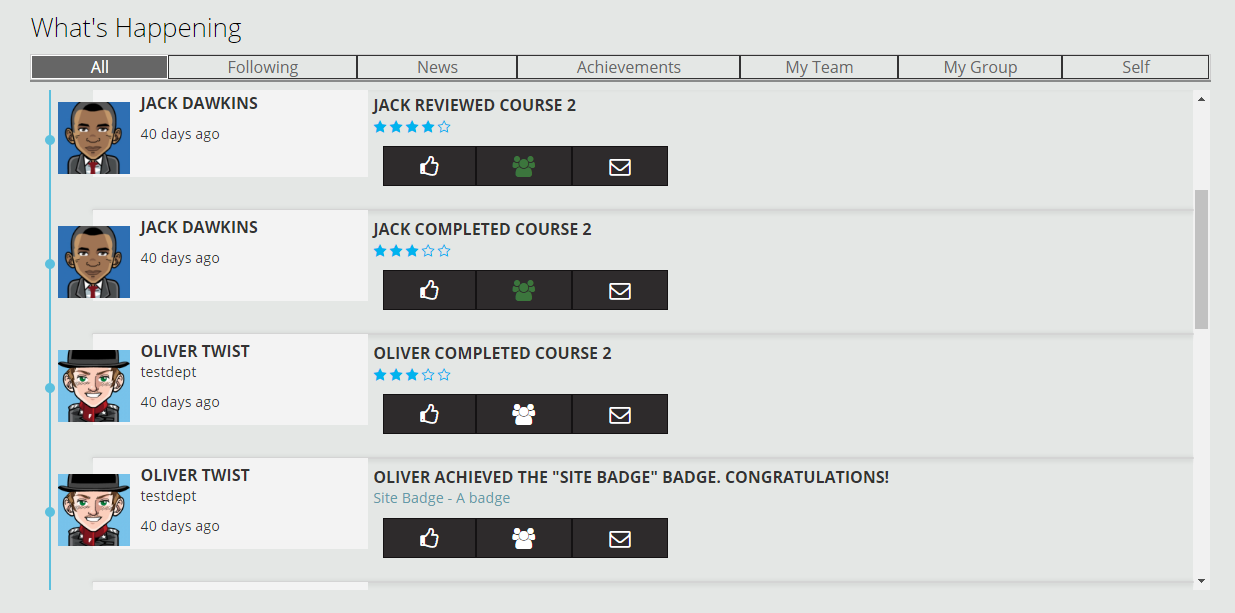
The social timeline feed provides a way of promoting courses that we use of part of the 'social wave' as a method to increase the uptake of e-learning. The block itself is simple and displays a list of events from the history logs in a timeline view. It is augmented with the ability to like, follow, message and view average course ratings to provide an interactive window into activity within the site. The feed is relative to the individual who is logged, with configuration to limit other users who appear in the timeline (e.g. just my team). These options are described in the filters section below and present themselves as tabs at the top of the timeline.
Events supported
The following events will appear on the timeline. Note that the display of each event needs to coded into the feed so this is not currently configurable.
| Event | Description |
| Badge awarded | User was awarded a badge |
| Blog entry created | User created a new blog post |
| Course completed | User completed a course |
| Course created | User created a new course in the system |
| Course module created | User added new content to a course |
| Face-to-face fully attended | User attended a face-to-face session |
| Face-to-face partially attended | User attended a face-to-face session |
| Discussion created | User posted a new discussion to a forum |
| Review created | User reviewed a course |
| Plan completed (Totara only) | User completed a learning plan |
| Program completed (Totara only) | User completed a program |
Filtering the feed
When the block is added to a page it is possible to configure the filters used for that particular block instance. For example of the home page it may show all users, on the profile page just the user who is logged in, and on the team page just the team. Alternatively the homepage may show several tabs to filter the information inline.
| Filter | Description |
| All | Displays what other learners are doing by showing all activities by all users except the current logged in user |
| Following | Displays events from all users that I follow - you need to have at least one other tab available to follow people from |
| News | Displays news based events (course created, module created, blog, site news discussion) from nominated site administrators to show site updates |
| Achievements | Displays completion events for users to promote successful outcomes from the system |
| My Team (Totara only) | Displays events based on users within the same team (this is derived from having the same line manager) |
| My Group | Displays events from users who match the selected 'group' profile field (e.g. all in same business unit or centre) |
| Self | Displays events for the logged in user only to show a user their own learning events - creates a learning timeline for the individual |
Advertising tracker
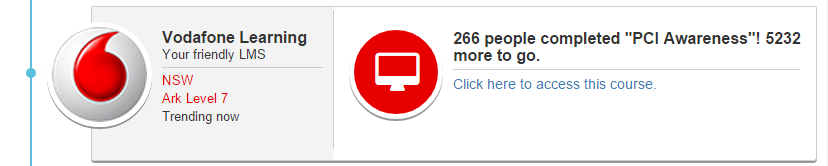
If you want to promote completion of a new course or drive up-take of a badge award for compliance then you can configure particular courses or badges to be tracked in the block configuration. Those selected will rotate their appearance at the top of the timeline with a summary of current progress (e.g. 675/1000 have completed) and an indication of whether the logged in user has completed or still needs to complete.
This promotes the course as trending and is useful when launching a major new course or award.
Comments