Moodle Mobile plugin allows the Moodle app to interact a Moodle website. This requires a few basic configuration on the Moodle website.
- Go to Site administration > Plugins > Web services > Mobile, enable “Enable web services for mobile devices”
- Save changes.
- Go to Site administration > Plugins > Web services > External services, edit “Moodle Mobile additional features service” and check the “Enabled” field.
- Save changes.
- Go to Site administration > Users > Permissions > Define roles, edit “Authenticated user” by clicking the cog
 icon.
icon. - Allow the capability “moodle/webservice:createtoken”. To quickly find this capability, copy “moodle/webservice:createtoken”, press “ CTRL+F ” [ Command + F on Mac] on your web browser and paste “moodle/webservice:createtoken” on the search field.
- Save changes.
To be able to use the Mobile app by admin users, few additional configuration is needed.
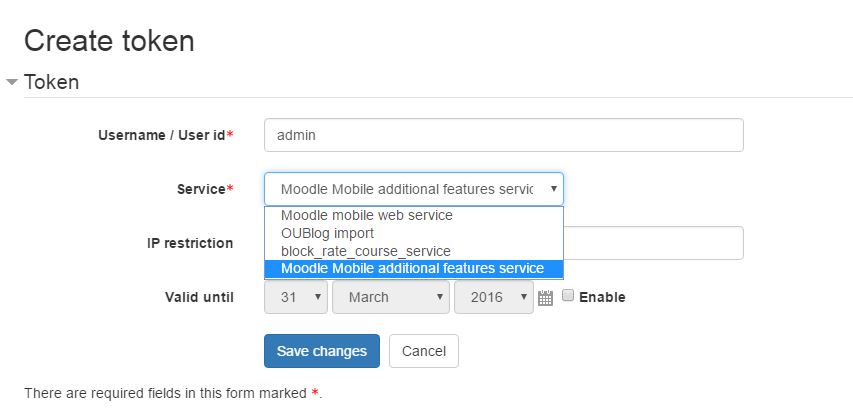
- Go to Site administration > Plugins > Web services > Manage tokens, add a new token.
- On the Username / User id input field enter admin
- On the Service drop-down field select change to Moodle Mobile additional features service from the default Moodle mobile web services.
- The rest of the fields can be left as it is.
- Save changes.
Your Mobile app should now be able to connect to your Moodle website.
Comments
Related articles