The default Moodle mobile app styles [colours] can be configured to match your main Moodle website.
- Go to Site administration > Plugins > Web services > Mobile, enable “Enable web services for mobile devices”
- On the CSS field enter the following https://yourmoodlesite.com/theme/selfservice/mobileapp_css.php
- Do not forget to change the yourmoodlesite.com part with the url of your moodle site.
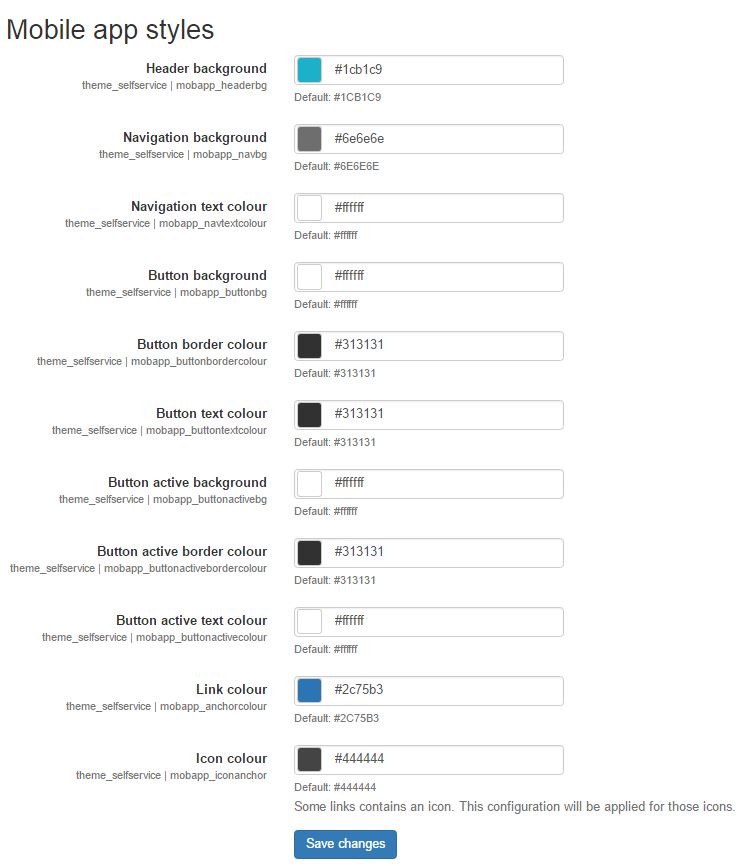
- Go to Site administration > Appearance > Themes > Responsive design > Mobile app styles
- Add your colour schemes.
- Save changes.
- Purge all cache.
- On your Moodle mobile app, go to Navigation [
 ]. App settings > Synchronization > Sites > Press refresh icon [
  ].
]. - It will take a little while for the app to refresh the changes.
Comments
Related articles